
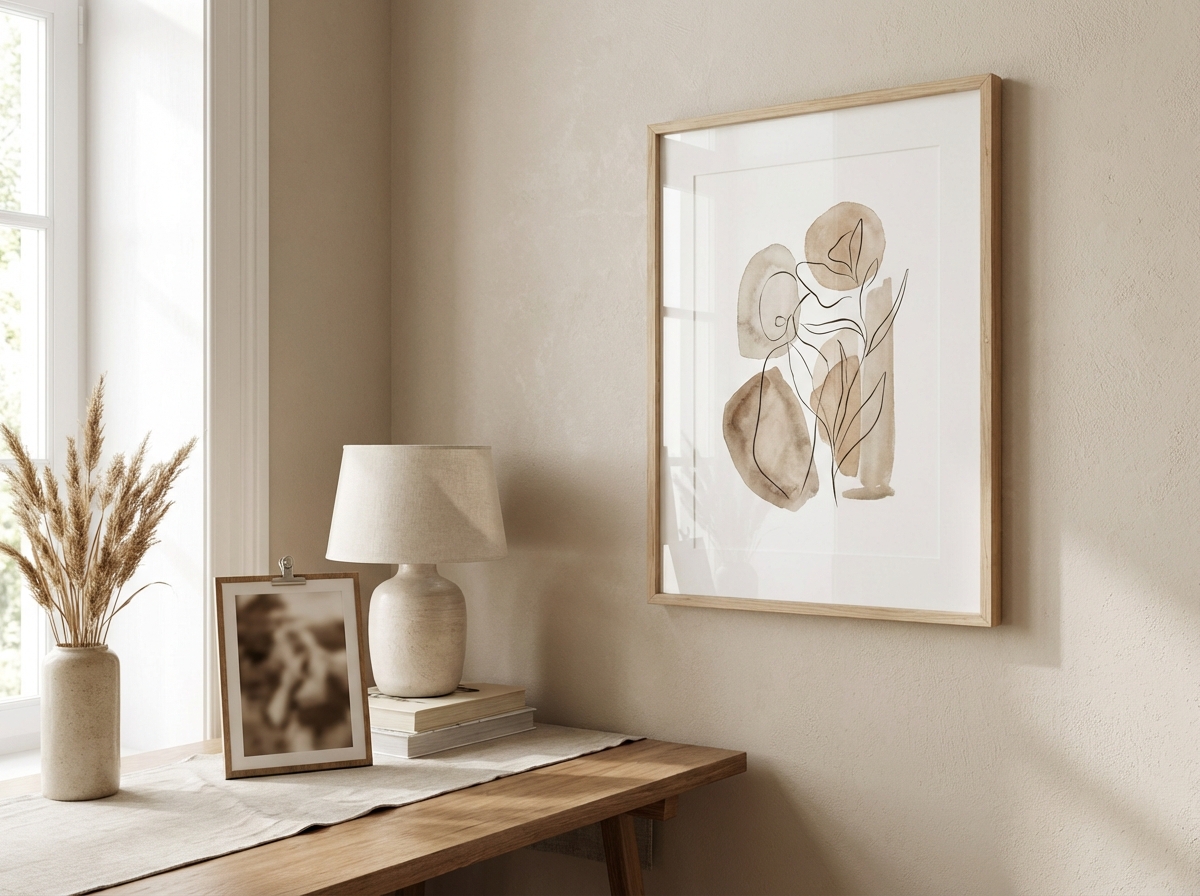
Sometimes the best wall art isn't a made-up scene—it's your real life: a travel moment, a family photo, a place you love. The problem is that photos don't always fit your interior style. AI can help by transforming a photo into a print-ready artwork: a painterly landscape, a minimalist line piece, a soft abstract interpretation, or a refined poster look. This guide shows you how to turn photos into AI wall art that feels personal and designed.
If you're new to AI wall art, start with the beginner's guide. If you want prompt structure for premium results, see AI wall art prompts that look expensive.
Choose the Right Photo (It Matters More Than You Think)
Not every photo transforms well. Look for:
- Clear subject (a skyline, a mountain ridge, a couple silhouette, a pet with simple background).
- Good light (soft daylight beats harsh flash).
- Simple background (AI can simplify, but clean inputs produce better outputs).
Pick a Style That Fits Your Home
The goal is not to "AI-fy" the photo aggressively. The goal is to make it look like intentional decor. Strong options:
- Minimalist line art: elegant, subtle, great for portraits.
- Painterly landscape: ideal for travel scenery.
- Soft abstract interpretation: turns a photo into mood and color.
- Editorial black & white: timeless, modern, easy to match.
If you want calm interiors, read minimalist AI wall art. If you need palette help, read color matching for wall art.
Prompt Guidance (Even When Starting From a Photo)
When you transform a photo, use prompts to control the style, palette, and level of abstraction. Here are examples you can adapt:
Travel Photo to Painterly Wall Art
Transform this photo into a fine art painting, muted natural palette, soft atmospheric light, remove distracting details, emphasize composition and depth, gallery print style, calm mood.
Family Photo to Minimal Line Art
Minimal continuous line drawing based on the photo, clean off-white background, thin charcoal line, elegant and simple, lots of negative space, Scandinavian poster style.
City Photo to Editorial Black & White
Convert this photo into black and white fine art photography style, strong composition, deep blacks, soft highlights, remove clutter, editorial gallery print.
Six More Transform Styles (Pick the One That Fits Your Decor)
The best photo-to-art transformations don't try to "improve" everything. They keep the emotion of the original while changing the visual language to something you'd actually hang. Here are more styles that work well in real homes:
Soft Abstract Memory (Great for Busy Photos)
Abstract interpretation of this photo, preserve the main shapes and color mood, soften details, remove clutter, warm neutral palette, subtle texture, calm composition, premium wall art.
This is perfect for travel photos with lots of people or messy backgrounds—you keep the feeling without the noise.
Minimal Architecture Poster (Great for City Trips)
Transform into minimalist modern poster, simplified buildings, clean lines, limited palette, strong negative space, editorial design style, matte print look.
Watercolor Travel Scene (Gentle and Timeless)
Watercolor painting style, soft washes, paper texture, muted colors, simplify background, emphasize light and atmosphere, calm mood, gallery print.
Vintage Film Photo (Warm Nostalgia)
Vintage film photography look, gentle grain, slightly muted tones, warm highlights, natural contrast, remove distracting objects, fine art print style.
Botanical / Nature Illustration (For Plants and Landscapes)
Fine art botanical illustration style, clean background, delicate linework, gentle shading, muted earthy palette, lots of negative space, vertical composition.
Monochrome Ink Sketch (Elegant for Portraits)
Minimal monochrome ink sketch, thin lines, off-white paper texture, simplify facial details, elegant composition with negative space, Scandinavian poster style.
A Simple Workflow That Gets Better Results
When people get disappointing transformations, it's usually because they try to do everything in one pass. Use this simple workflow instead:
- Pick the crop first: decide whether it will be horizontal/vertical/square and crop to that shape.
- Choose one style: painterly, line art, abstract, film, or editorial B&W—don't mix.
- Constrain the palette: list 2 neutrals + one accent that matches your room (see color matching guide).
- Simplify the background: explicitly ask to remove clutter and keep one focal point.
- Generate 4-8 variations: pick the best composition and refine one variable at a time.
This is the same mindset as our wall-art prompt guide: prompts that look expensive. Constraints create premium results.
Turn One Photo Into a Matching Set (Trip, Family, or Before/After)
One of the most beautiful outcomes is a small series:
- Triptych from one photo: three variations of the same scene with the same palette.
- Three places, one style: different travel photos, same watercolor / film / minimalist poster look.
- Family set: line art portraits (subtle, elegant, not uncanny).
To make sets look designed, keep frame color and finish consistent, and follow a simple layout from gallery wall ideas.
Privacy Note (Especially for Family Photos)
If you're transforming family photos, choose a style that reduces identifiable detail (line art, soft abstract, watercolor). It often looks better on a wall and feels more private. If you plan to share the result publicly (social media, portfolio), be mindful of consent and personal information in the original photo.
Keep It Tasteful: Avoid the Common AI Portrait Look
AI portraits can easily drift into uncanny territory. A few safeguards:
- Prefer stylization (line art, painterly) over hyper-realistic.
- Remove busy background elements so the print reads cleanly.
- Don't chase extreme detail; it often creates weird textures in hair and skin.
Make It Print-Ready
Once you have the transformed image, treat it like any wall art file. Choose the right material (see canvas vs poster vs fine art paper) and upscale if you're printing large (see how to upscale AI images for large prints).
Choose Size and Frame (The Part That Makes It Look Like Real Decor)
This is where personal photos become designed. Use choosing the right size and frame and our room cheat sheet: best sizes for every room.
Is It Allowed to Print AI-Transformed Photos?
If it's your photo and you're printing for personal use or gifting, you're usually in good territory. For a plain-language overview, read AI art and copyright.
Printing and Framing Tips (What Makes It Look Like Real Decor)
The transformation is only half the job. The finish is what makes it feel like wall art instead of a modified photo. A few practical tips:
- Prefer matte finishes for most homes. They feel calm and reduce glare.
- Use a simple frame (black/white/natural wood) so the image stays the focus.
- Consider a white border for line art and minimalist styles—it instantly elevates the piece.
- Size confidently: personal images often deserve a bigger size than you think, especially above furniture.
If you're unsure about materials, read canvas vs poster vs fine art paper. For sizing rules, read size and frame and sizes by room.
FAQ: Photo-to-AI Wall Art
Should I transform every photo? No. Pick the one that has real emotional weight or strong composition. One great print beats five okay ones.
What if the AI changes faces too much? Choose a more stylized output (line art, watercolor, soft abstract) and reduce detail. For family pieces, tasteful stylization often looks better anyway.
Can I gift this? Absolutely. Personalized art is one of the most meaningful gifts. See personalized wall art gift guide, and allow lead time for printing and shipping (see European delivery).
Quick Checklist (Before You Order)
- Crop locked (horizontal/vertical/square).
- Style chosen (one style direction, not mixed).
- Palette matches the room (see color matching).
- Upscaled if printing large (see upscaling).
- Frame chosen to fit your decor.
Three Photo Ideas That Almost Always Work as Wall Art
- A place you love: a beach, a mountain, a street in a city—transformed into watercolor or fine art film style. This feels personal but still tasteful.
- A silhouette moment: a couple walking, a child holding hands, a person looking at a view—converted into minimal line art. Silhouettes avoid uncanny facial details and look elegant.
- A texture memory: a close-up of waves, trees, stone walls, or a patterned surface—converted into soft abstract with a room-matching palette. These look very designer and work in almost any space.
If you want to turn these into a set, generate three pieces with the same palette and frame color, then use gallery wall layouts to arrange them cleanly.
Summary
Photo-to-AI wall art works best when you choose a strong photo, pick a home-friendly style, constrain the palette, keep the transformation tasteful, and finish with a good size and frame. The result is art that's meaningful—without looking like a random photo print.
Once you print one transformed photo and hang it, you'll feel the difference immediately: it stops being a file from your camera roll and becomes a part of your home. It's worth doing.
Start with one photo you truly love, and build from there.
Next: Planning the wall placement? Read best AI wall art sizes for every room.

